We are currently investigating an issue with BrightPay and have temporarily restricted some levels of access

2026 BrightPay (effective for pay periods on or after 1st January 2026) is now available to start processing your payroll in.
Each annual version of BrightPay is separate to each previous tax year version. You will see a new 2026 tax year option appear on your screen for you to access BrightPay for the new tax year.
1. Please sign into BrightPay here.
2. On the top left hand corner you will see the tax year 2025. Please select this icon.
3. On the dropdown menu please select the 2026 option in order to move forward to the new tax year.
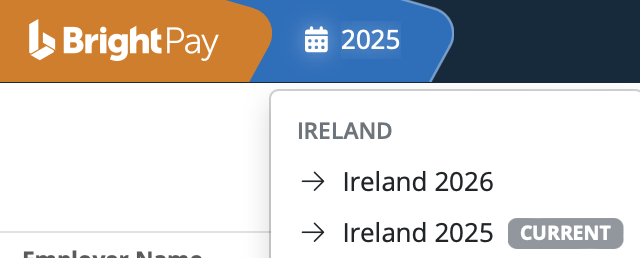
4. Once you have selected 2026 you will see all your employers from the previous tax year listed on the Employer Dashboard.

The icon to the left of the employer's name will have a dotted line around it. This denotes that the employer's data is not available in the current tax year and you will have to import the employer's data if you wish to access it in the current tax year.

6. Once you select either option an Import Window will appear:
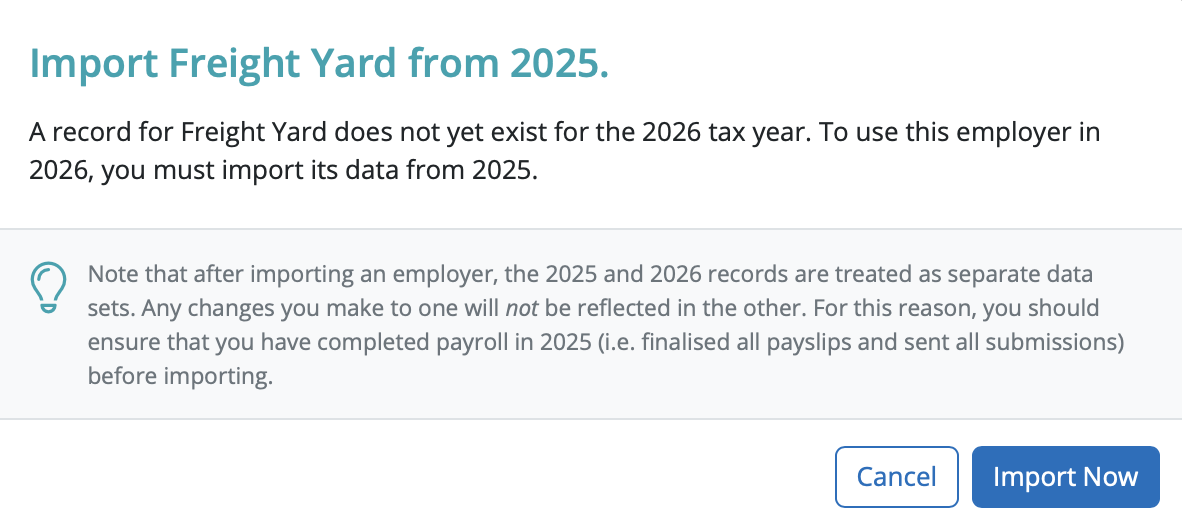
7. Select 'Import Now' and your employer will start to import into the new tax year.

8. All your employer data will import into the new tax year excluding leavers from the previous tax year.

10 You are ready to start processing your payroll now.
Please note: All employee data records will be reset for the start of the new tax year and all associated 2026 budgetary changes will be applied as per Revenue instruction.
Need help? Support is available at 01 8352074 or [email protected].







Copyright © 2026 Thesaurus Software Ltd T/A Bright Software Group.
Unit 35 Duleek Business Park, Duleek, County Meath, A92 N15E, Ireland
[email protected] 01 8352074