Black Friday
 

Period Summary View (Payroll Preview)


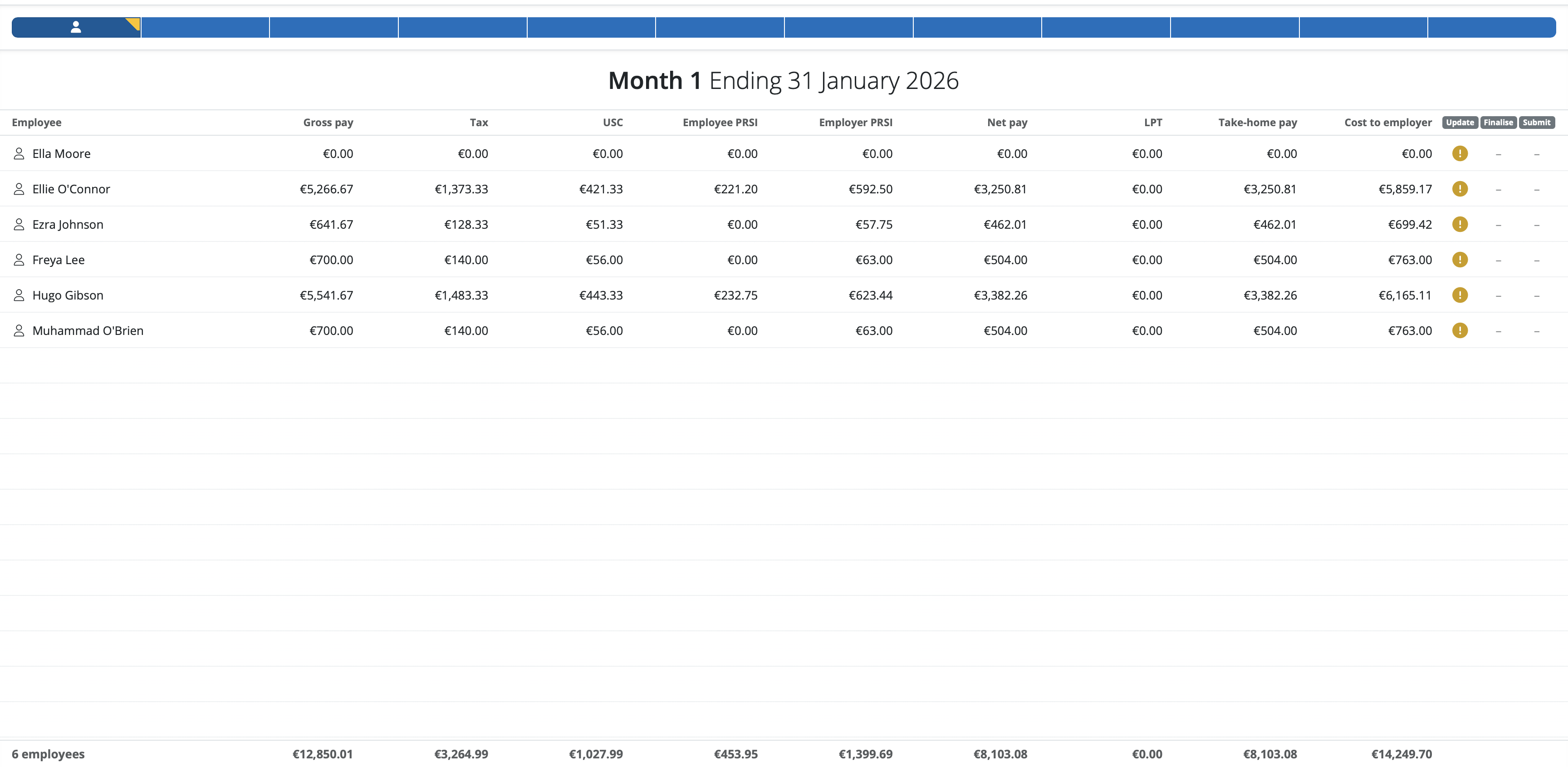
Every time your company file is opened and the Payroll utility accessed, employees will be listed in a 'summary view'.

This summary view provides an overview of pay information entered in the pay period selected for all the employees on that pay frequency. It is most commonly used as a final check of pay information entered before a pay period is finalised.


  • BrightPay applies a default selection of columns, which the user can subsequently customise to suit their own requirements e.g. to show columns for number of hours worked, pension contributions, previous pay period amounts, etc.


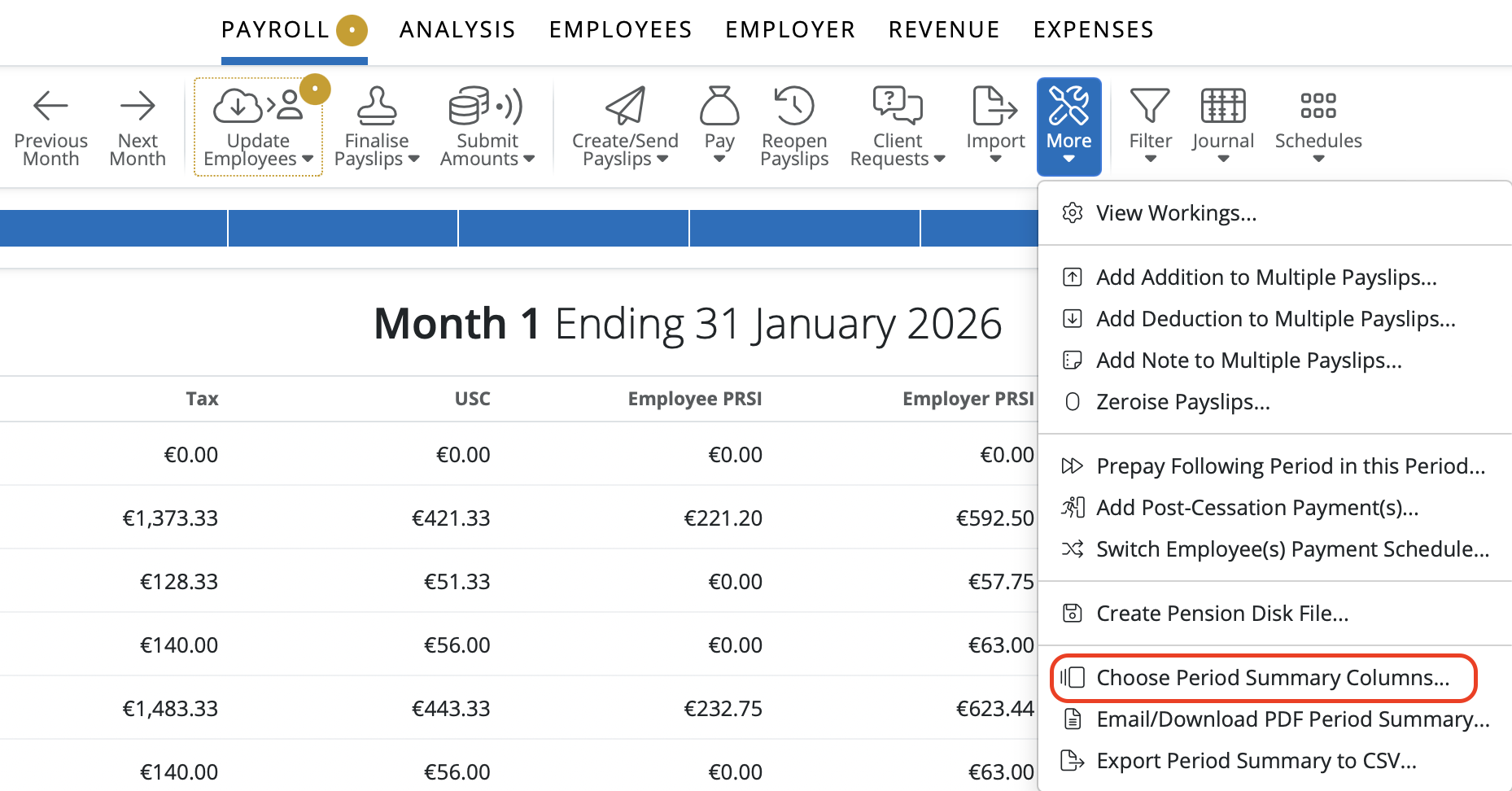
a) To choose which columns to display, simply click 'More' on the menu bar, followed by 'Choose Summary Columns...':


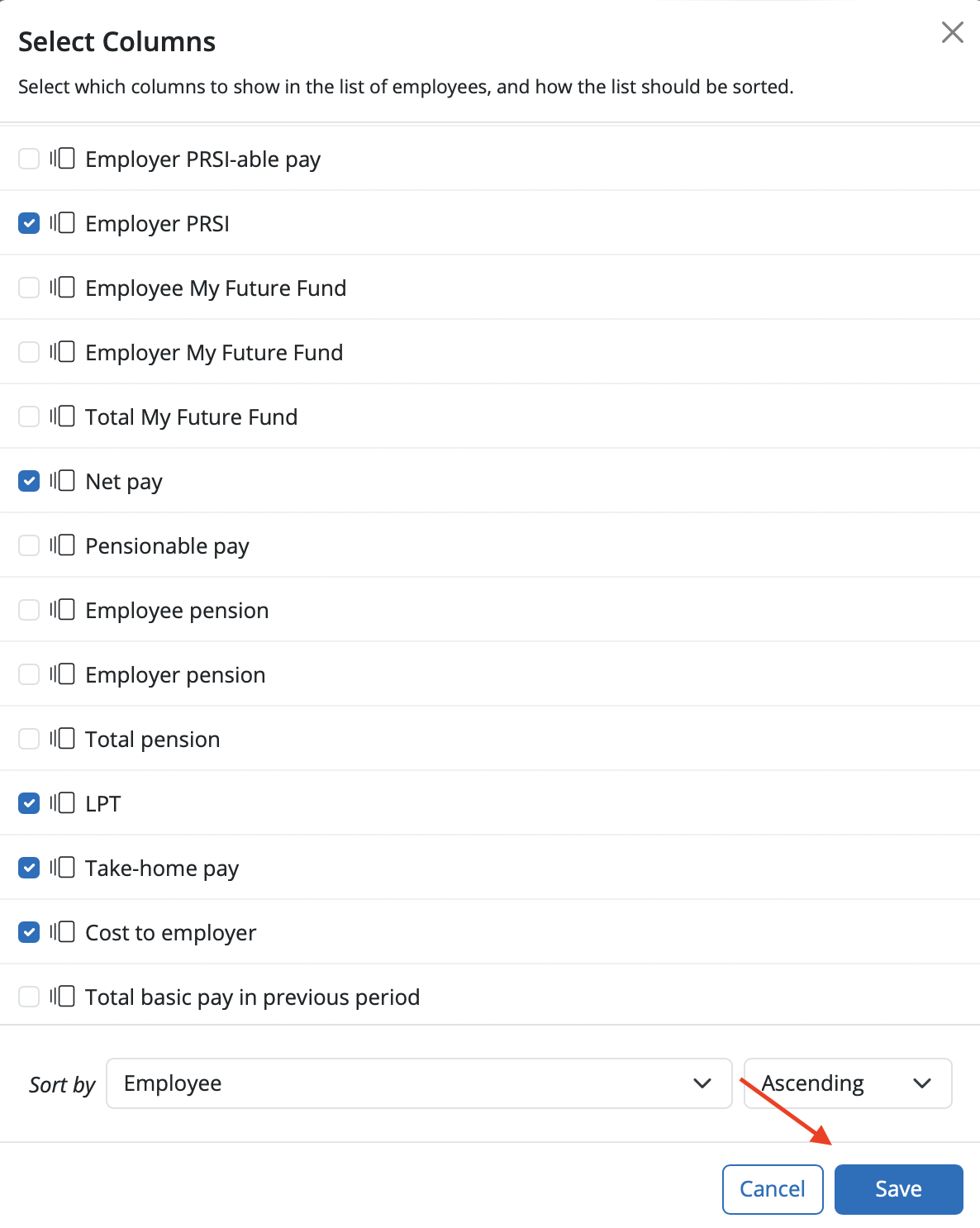
 b) select the columns you wish to display and click 'Save':


c) The summary view will now reflect your chosen criteria
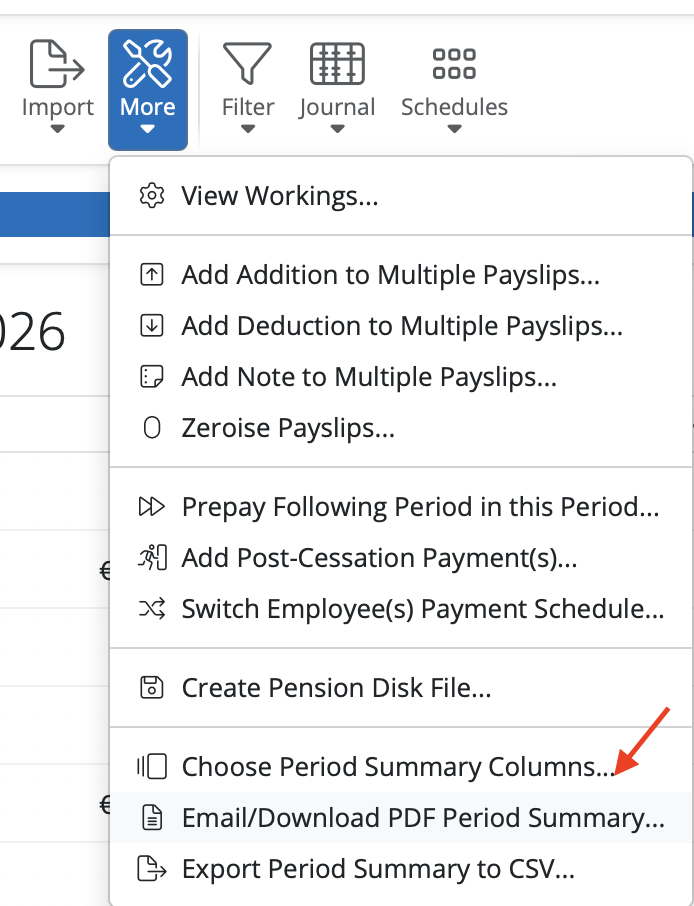
 

  • To print or email the period summary at any time, click 'More > Email/Download PDF Summary':  


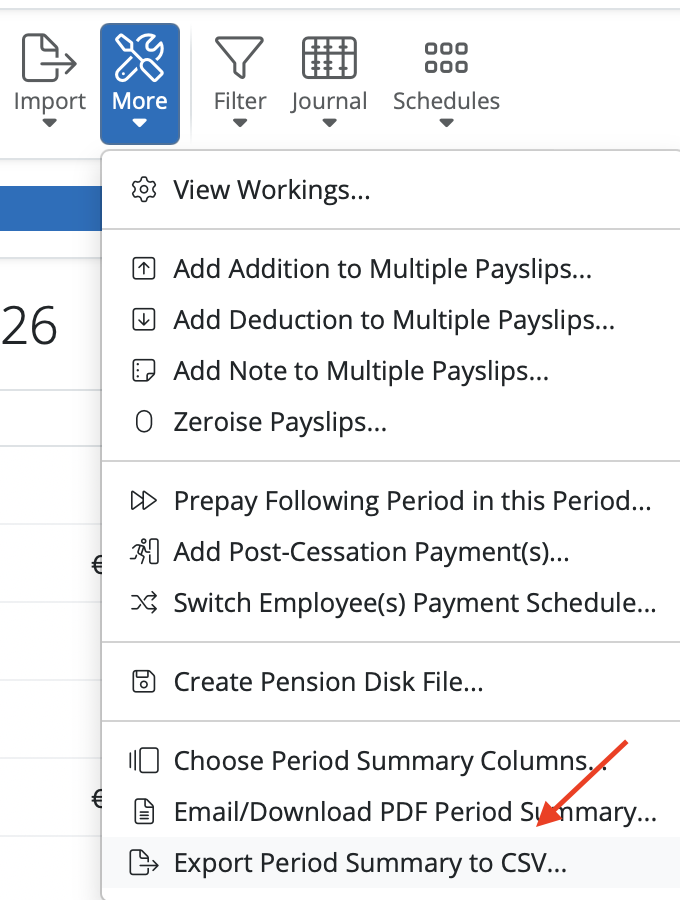
  • To export the period summary at any time, click 'More > Export Summary to CSV':


Need help? Support is available at 01 8352074 or [email protected].

BrightPay (Cloud) System RequirementsWhat's New in BrightPay?Two Factor Authentication - OrganisationWhat's happening to BrightPay for Windows?Introduction to BrightPayGetting StartedImporting Into BrightPay from BrightPay WindowsMoving to BrightPay from another payroll softwareUser ManagementMultiUser EnhancementsEmployer DetailsEmployee DetailsDigital CertificatesRevenue Payroll Notifications (RPNs)Processing PayrollPayroll Submission Requests (PSRs)Importing Pay Data using CSV FileDistributing PayslipsPaying EmployeesMaking Corrections in PayrollPayroll Calendar 2025Benefit in KindEmployee Self Service PortalBrightPay (Cloud) Service InfrastructurePayroll JournalsAnalysisPayroll DeductionsNational Minimum Living WagePensionsSwitching an Employee's Pay FrequencyEnhanced Reporting Requirements (ERR)BrightExpensesPayslip Translations2025 Budget - Employer Focus2026 Budget - Employer FocusAnnual LeaveEmployment Law - InformationSEPA format - Banks catered for in BrightPayTwo Factor Authentication - EmployeesAuto Enrolment