
Black Friday
 

Adding/Amending Savings Scheme

This utility allows users to set up default Savings Schemes that will be available for selection when processing each employee’s payslip.  


1) To add a new Savings Scheme – select Savings Schemes on the menu toolbar, followed by New. Complete all required fields accordingly and click Save.
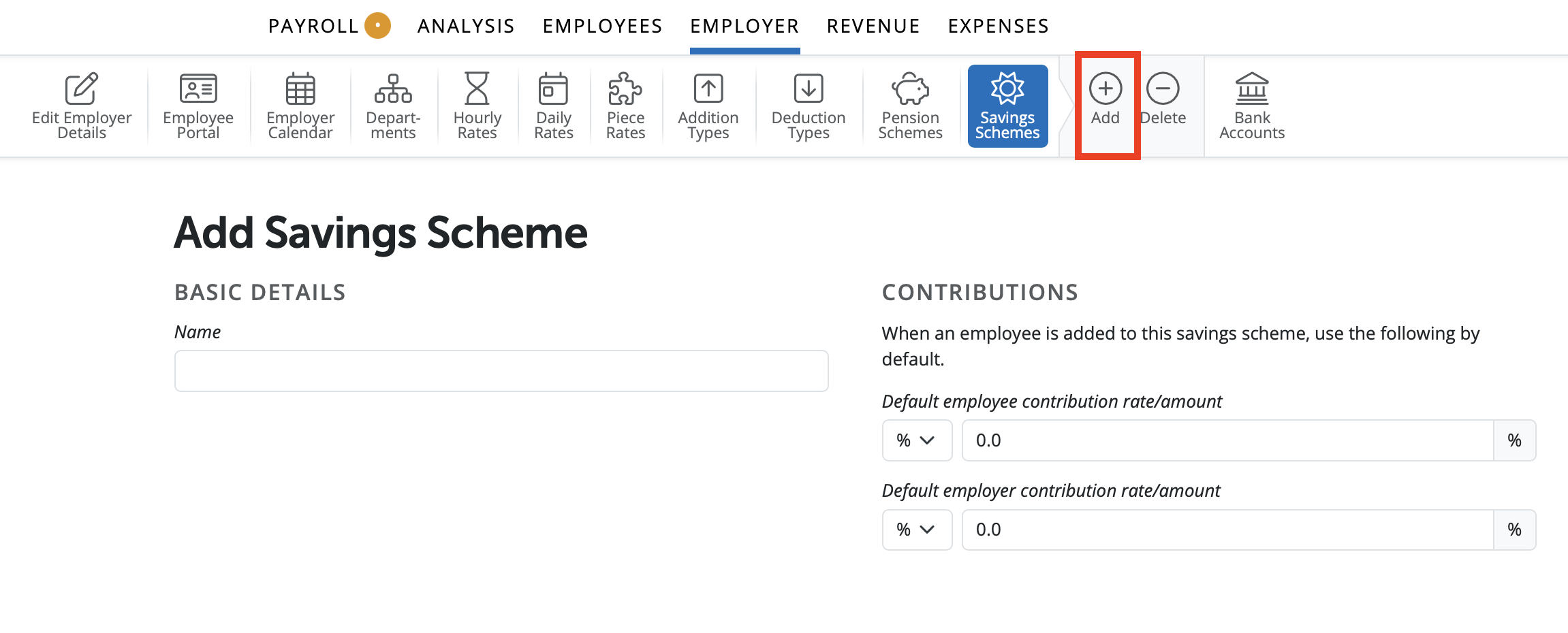


2) To view or edit a Savings Scheme – select Savings Schemes on the menu toolbar. Select the savings scheme from the listing and view/ amend accordingly. Click Save.


3) To delete a Savings Scheme – first select Savings Schemes on the menu toolbar. Select the savings scheme from the listing and click Delete on the menu toolbar. Click Yes to confirm you wish to delete the savings scheme.


Need help? Support is available at 01 8352074 or [email protected].

BrightPay (Cloud) System Requirements2026 BrightPay - AvailabilityWhat's New in BrightPay?Auto Enrolment in BrightPayWhat's happening to BrightPay for Windows?Introduction to BrightPayGetting StartedStarting the New Tax YearImporting Into BrightPay from BrightPay WindowsMoving to BrightPay from another payroll softwareTwo Factor Authentication - OrganisationUser ManagementMultiUser EnhancementsEmployer DetailsEmployee DetailsDigital CertificatesRevenue Payroll Notifications (RPNs)Processing PayrollPayroll Submission Requests (PSRs)Importing Pay Data using CSV FileDistributing PayslipsPaying EmployeesMaking Corrections in PayrollPayroll Calendar 2025Payroll Calendar 2026Benefit in KindEmployee Self Service PortalBrightPay (Cloud) Service InfrastructurePayroll JournalsAnalysisPayroll DeductionsNational Minimum Living WagePensionsSwitching an Employee's Pay FrequencyYear EndEnhanced Reporting Requirements (ERR)BrightExpensesPayslip Translations2025 Budget - Employer Focus2026 Budget - Employer FocusAnnual LeaveEmployment Law - InformationSEPA format - Banks catered for in BrightPayTwo Factor Authentication - EmployeesAuto EnrolmentClient PortalResourcesRelease NotesImporting Information From Connect into BrightPay cloud






