We are currently investigating an issue with BrightPay and have temporarily restricted some levels of access

To access this utility, go to Employees > Select Employee from listing > Revenue Details
Under PAYE Modernisation, all employees will be placed on emergency tax until they are updated by a Revenue Payroll Notification.
Therefore, when setting up an employee record for the first time or on import of your employee records from the previous tax year, this will be brought to your attention when you access the employee's Revenue Details utility:

Manual entry of an employee's tax, USC and LPT information is thus no longer needed, because of the requirement to retrieve this information from Revenue using a Revenue Payroll Notification.
Guidance on how to update the employee's tax credits, cut-off points etc. using the Revenue Payroll Notification can be found here .
PRSI
From the drop-down menu provided, select the PRSI Class that applies to the employee. This will determine the PRSI charge to be applied to the employee’s pay.
If any PRSI exemptions apply, select the appropriate statement from the listing provided.
Other
If the Additional Superannuation Contribution (ASC) is to be deducted from the employee, select the method of ASC calculation that applies to them from the drop down menu.
The employee’s revenue details section is now complete. Now select the ‘Payment’ tab to continue to set up the employee’s record.
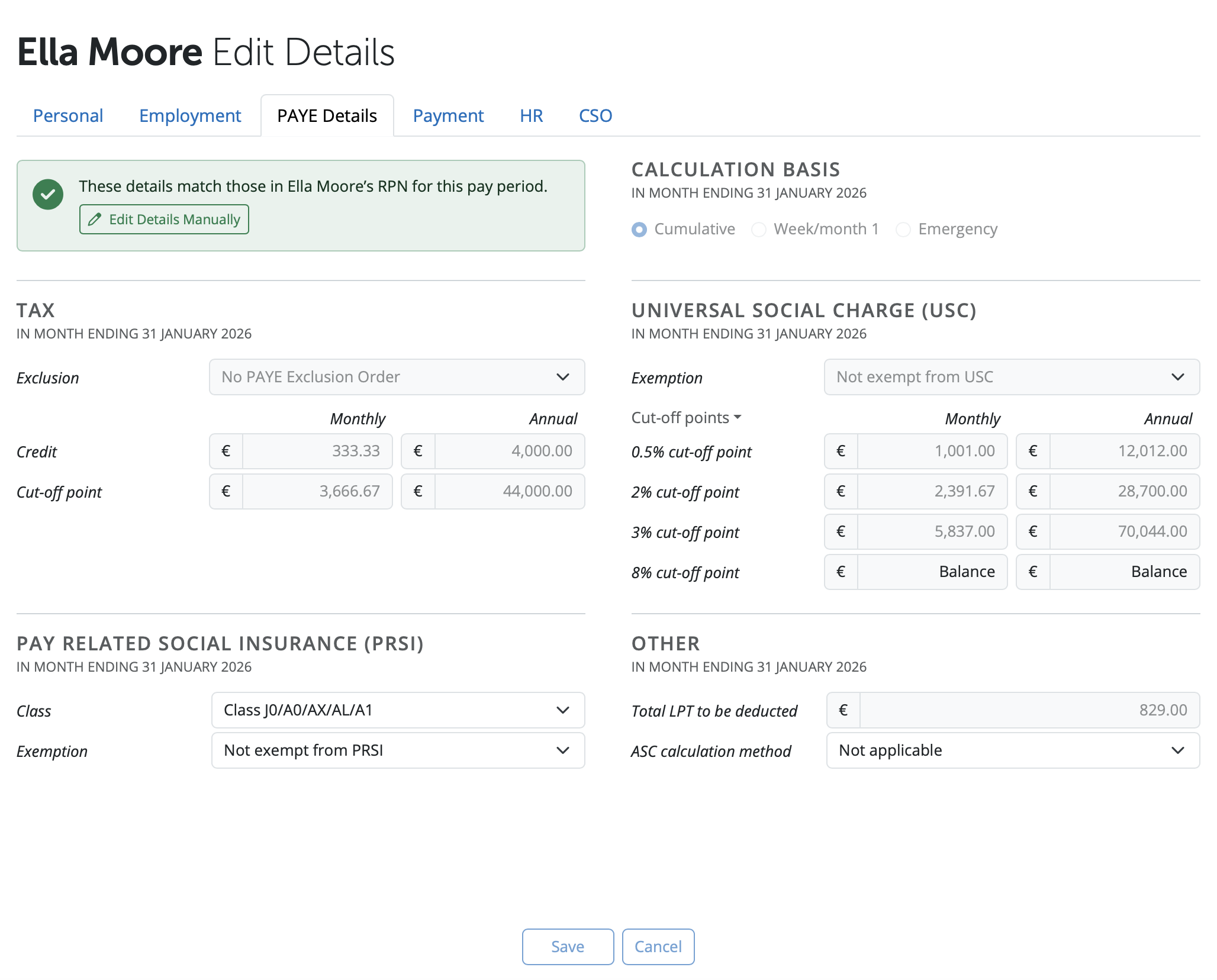
THE EMPLOYEE’S PAYE DETAILS ARE NOW COMPLETE. NOW SELECT THE ‘HR’ TAB TO CONTINUE TO SET UP THE EMPLOYEE’S RECORD.
Need help? Support is available at 01 8352074 or [email protected].







Copyright © 2026 Thesaurus Software Ltd T/A Bright Software Group.
Unit 35 Duleek Business Park, Duleek, County Meath, A92 N15E, Ireland
[email protected] 01 8352074