We are currently investigating an issue with BrightPay and have temporarily restricted some levels of access

Super Users on the Client Portal can invite Standard Users to access the Client Portal for an employer and manage other users that have access to the employer in the Client Portal. Please note: this option can be enabled for super-users on the employer in BrightPay.
Under > Employer > Manage Users all users with access to the employer on the Client Portal will be displayed. Their name, email address and type of user will be displayed.
The spanner option beside each standard user will give the option to edit the standard user's information such as name or email address and will give the option to delete the user.
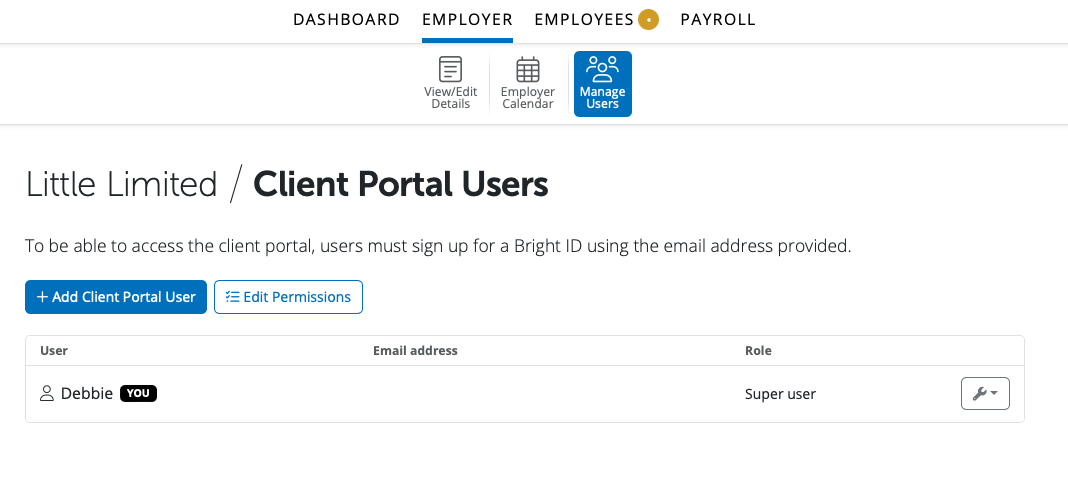
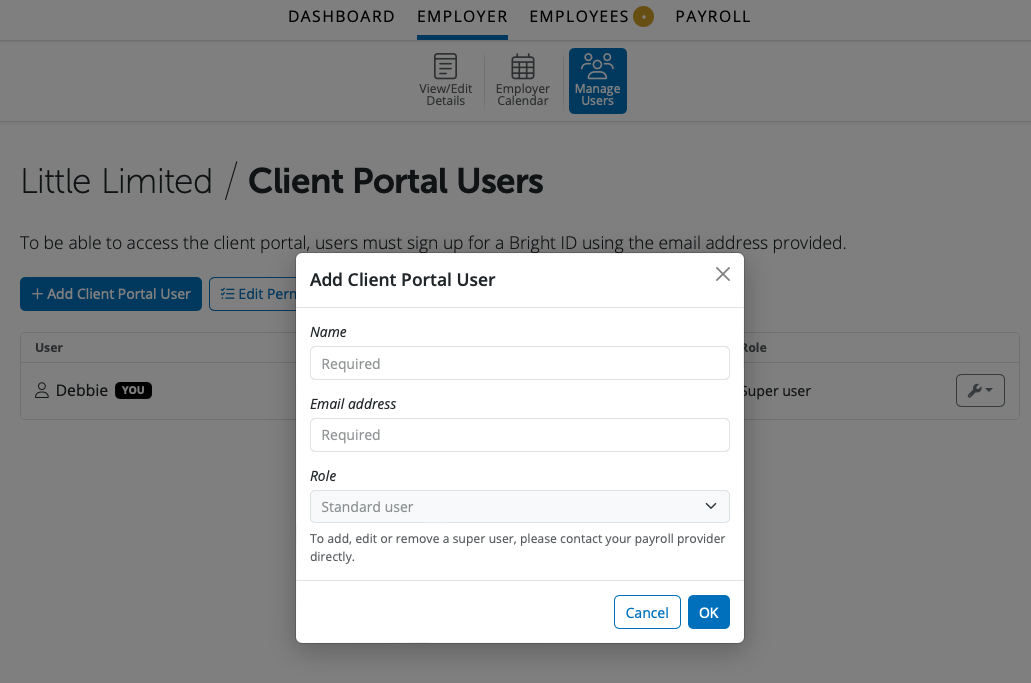
A new client portal user can be added by selecting '+ Add Client Portal User'. Enter in the Standard User's name and email address and select OK. The user will now be able to log into the Client Portal to access the employer.
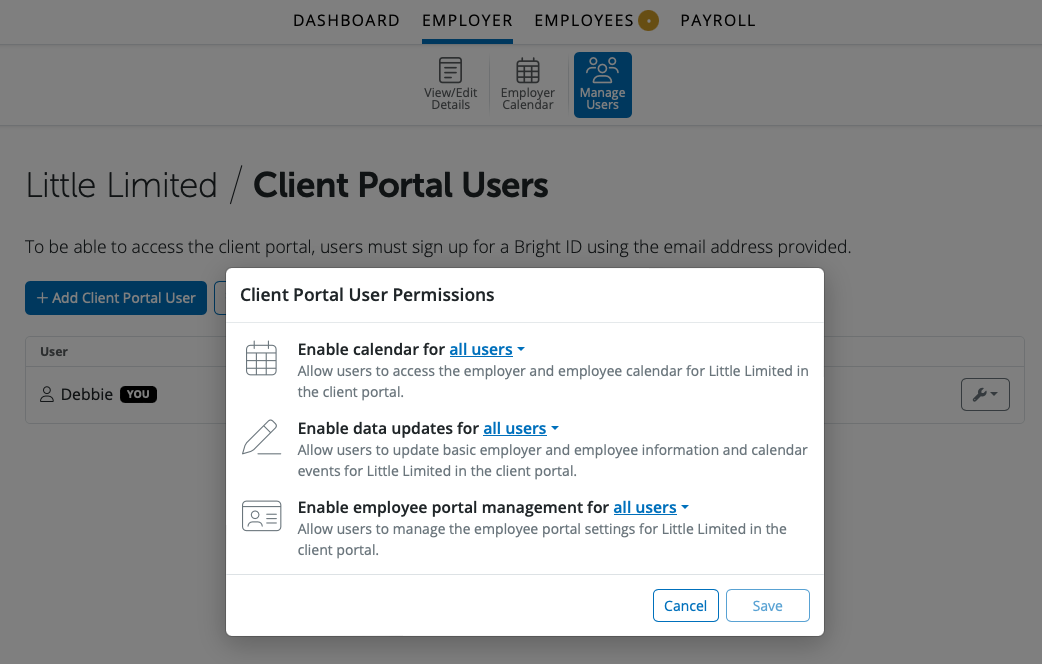
Client Portal permissions can be edited by a Super-User by selecting 'Edit Permissions'. The employer and employee calendar access, enabling employer, employee and calendar information to be updated and enabling employee portal management permissions can be enabled for Super-Users only or all users. Once any permission is edited please select 'Save' to update the changes made.
Need help? Support is available at 01 8352074 or [email protected].







Copyright © 2026 Thesaurus Software Ltd T/A Bright Software Group.
Unit 35 Duleek Business Park, Duleek, County Meath, A92 N15E, Ireland
[email protected] 01 8352074