We are currently investigating an issue with BrightPay and have temporarily restricted some levels of access

The National Automatic Enrolment Retirement Savings Authority (NAERSA) assesses employees for auto enrolment based on payroll information reported to Revenue.
Find the step by step guide for how to process Auto Enrolment in BrightPay here.
In order to instruct an employer in BrightPay to enrol an employee into My Future Fund an Automatic Enrolment Payroll Notification (AEPN) must be sent by NAERSA.
Within BrightPay, the first step for processing payroll is to retrieve your RPNs with the tax credits and cut off points for employees. This can be actioned under > Update Employees in the Payroll section.
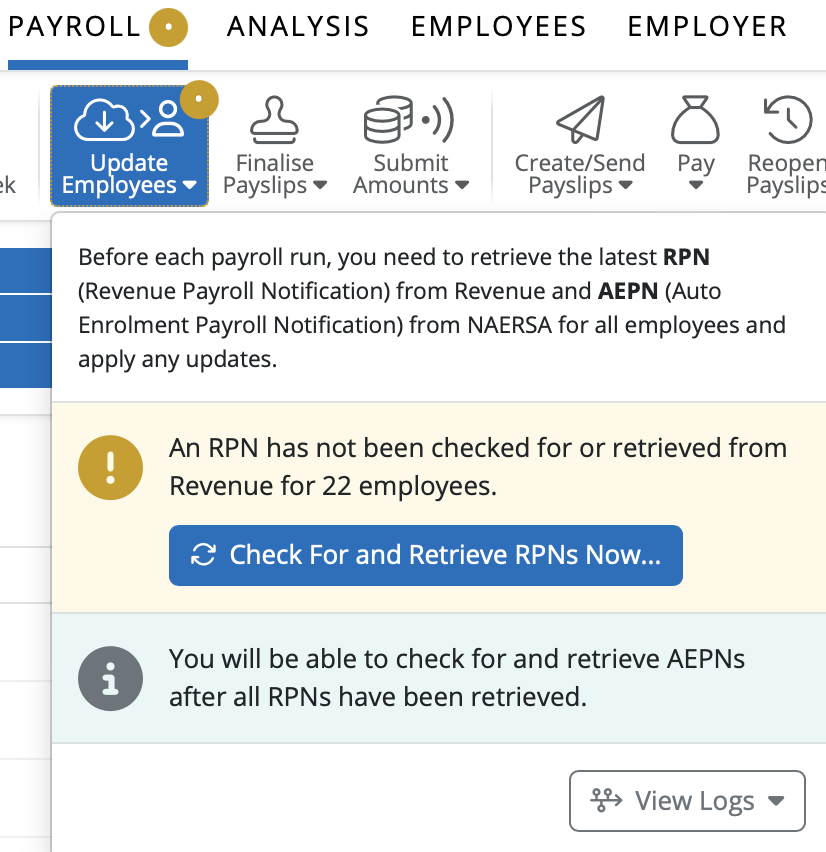
BrightPay has simply added a second update option to retrieve the AEPN from NAERSA. Once the RPN has been retrieved and updated, the option to ‘Check For and Retrieve AEPNS Now’ will be available.
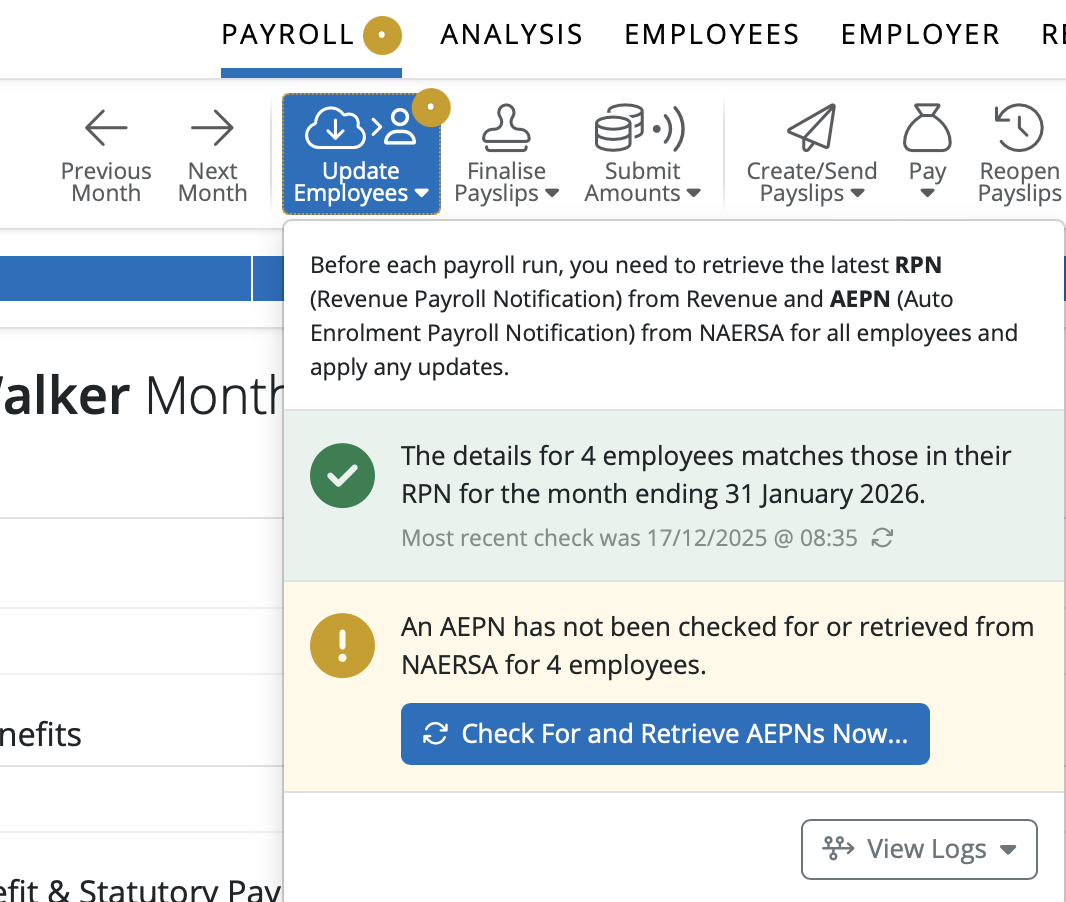
The response will come back from NAERSA if any employees need to be enrolled in My Future Fund with the percentage rate information and enrolment status and date.
To update the employees from the AEPN please select ‘Apply Selected Updates’. Employees auto enrolment status will be updated.

Select an employee in the Payroll section. Under the Additions and Deductions heading you will see My Future Fund details including the Employer and Employee Contribution rates.
On the right of the screen under ‘This Period’ tab you will see the amounts for the Employer and Employee Contribution for My Future Fund. The Employee’s Contribution amount is deducted from Net Pay.
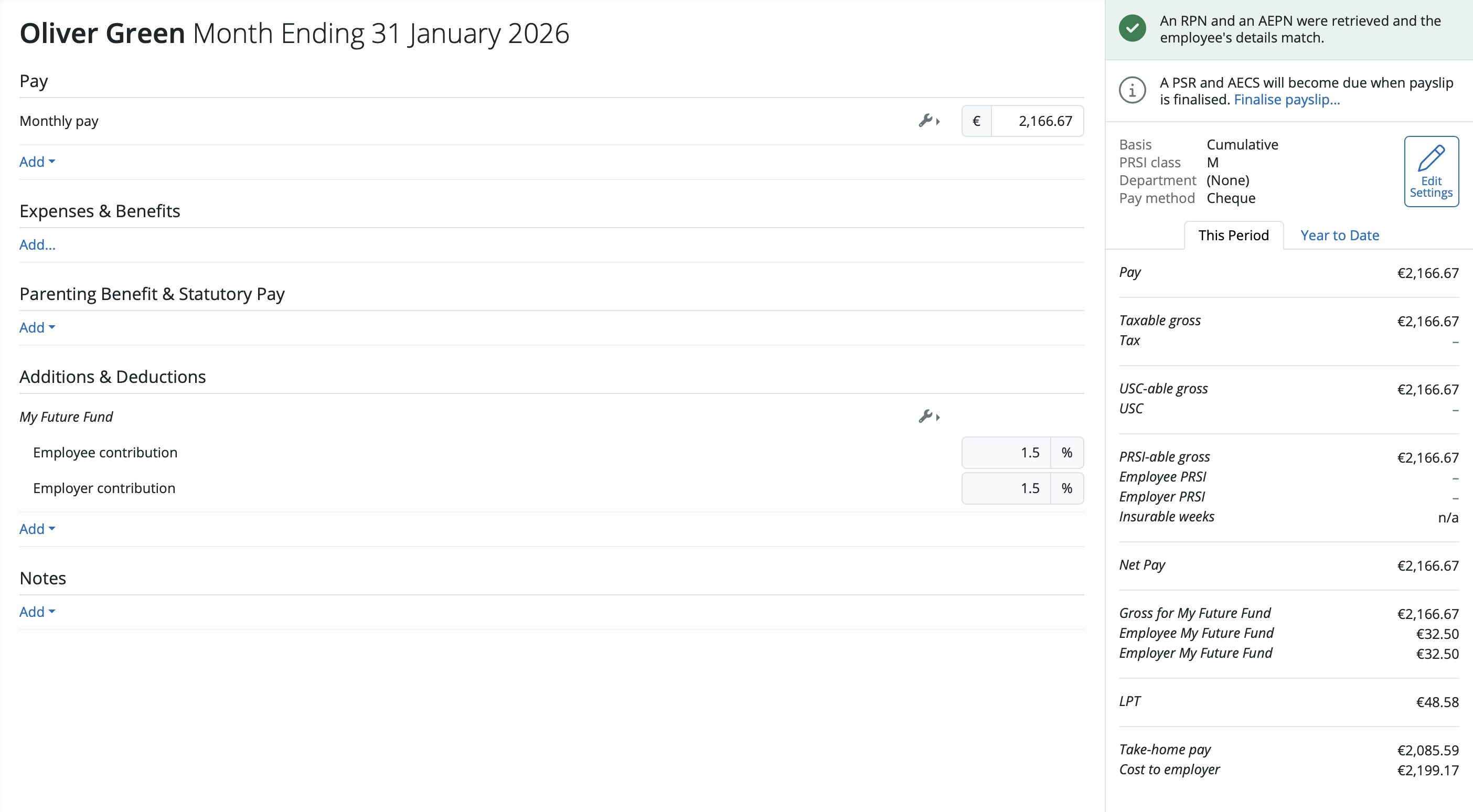
The status has been updated on the right hand side of the screen for the employee that an RPN and AEPN were retrieved and the employee’s details match.

Need help? Support is available at 01 8352074 or [email protected].







Copyright © 2026 Thesaurus Software Ltd T/A Bright Software Group.
Unit 35 Duleek Business Park, Duleek, County Meath, A92 N15E, Ireland
[email protected] 01 8352074