
Black Friday
 

Saved Reports

To access the Reporting function, click Analysis.

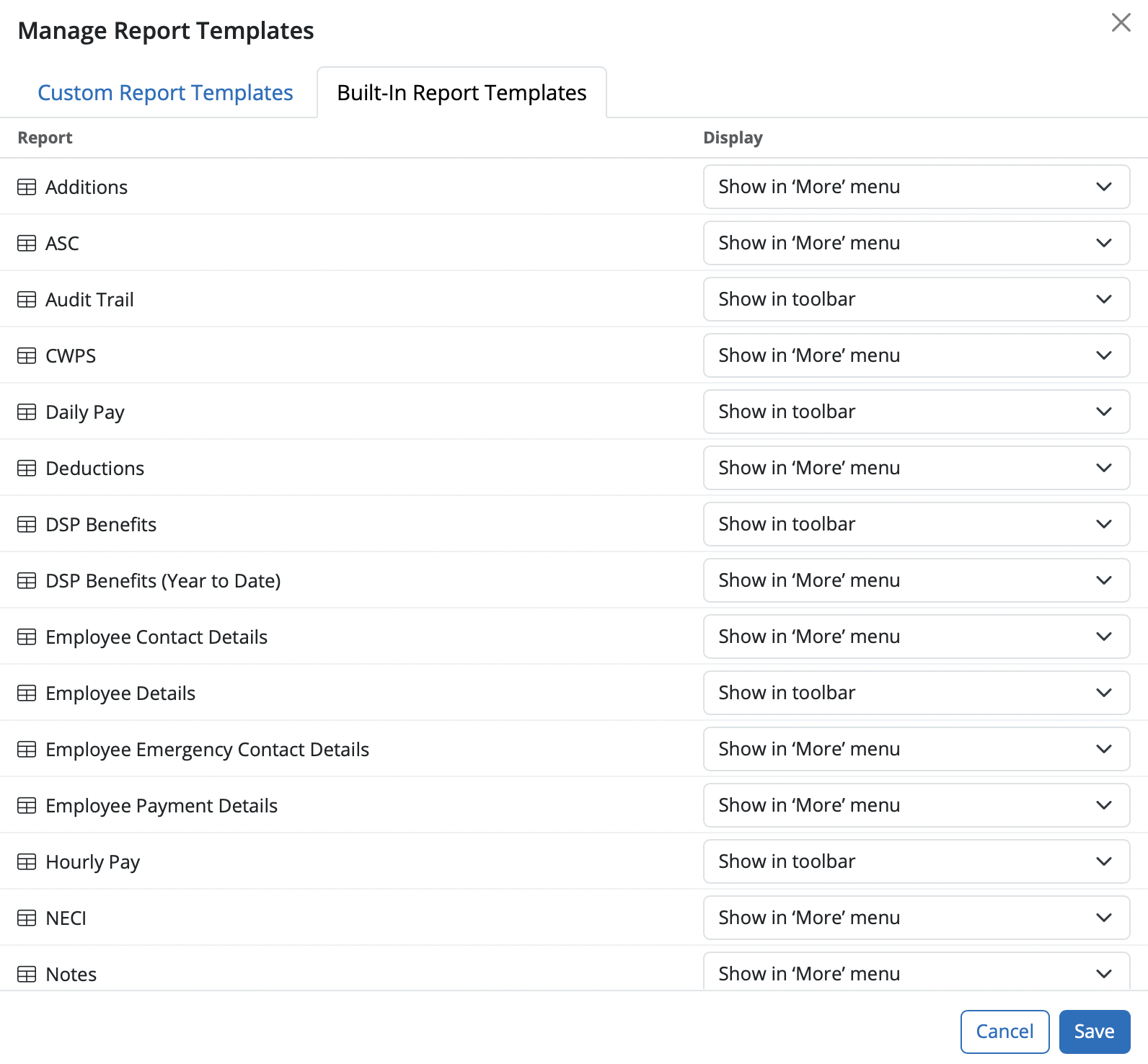
A number of pre-set reports have already been set up for your use and can be found within the Manager Reports > Built-in Report Templates section in the menu toolbar. Some of the saved reports display in the toolbar while others can be found by selecting "More".



These saved reports represent the most common payroll reports generally used. The default reports that appear in the toolbar consist of:

  • Audit Trail

  • Daily Pay

  • DSP Benefits

  • Hourly Pay

  • Notional Pay

  • Payroll Summary

  • Pensions

  • Year to Date


The saved reports available under "More" consist of:


  • Additions

  • ASC

  • CWPS

  • Deductions

  • DSP Benefits (Year to Date)

  • Employee Contact Details

  • Employee Details

  • Employee Payment Details

  • NECI

  • Notes

  • Pensions (Year to Date)


Manage Reports
 

a) In this utility you can manage the saved reports under each heading for Built-In Report Templates or Custom Report Templates i.e. you can indicate that a report should show in the menu toolbar, remove a report from the toolbar and delete reports.


Need help? Support is available at 01 8352074 or [email protected].

BrightPay (Cloud) System Requirements2026 BrightPay - AvailabilityWhat's New in BrightPay?Auto Enrolment in BrightPayWhat's happening to BrightPay for Windows?Introduction to BrightPayGetting StartedStarting the New Tax YearImporting Into BrightPay from BrightPay WindowsMoving to BrightPay from another payroll softwareTwo Factor Authentication - OrganisationUser ManagementMultiUser EnhancementsEmployer DetailsEmployee DetailsDigital CertificatesRevenue Payroll Notifications (RPNs)Processing PayrollPayroll Submission Requests (PSRs)Importing Pay Data using CSV FileDistributing PayslipsPaying EmployeesMaking Corrections in PayrollPayroll Calendar 2025Payroll Calendar 2026Benefit in KindEmployee Self Service PortalBrightPay (Cloud) Service InfrastructurePayroll JournalsAnalysisPayroll DeductionsNational Minimum Living WagePensionsSwitching an Employee's Pay FrequencyYear EndEnhanced Reporting Requirements (ERR)BrightExpensesPayslip Translations2025 Budget - Employer Focus2026 Budget - Employer FocusAnnual LeaveEmployment Law - InformationSEPA format - Banks catered for in BrightPayTwo Factor Authentication - EmployeesAuto EnrolmentClient PortalResourcesRelease NotesImporting Information From Connect into BrightPay cloud






