Black Friday
 

Processing Auto Enrolment

How to Process AE in BrightPay – Step-by-Step


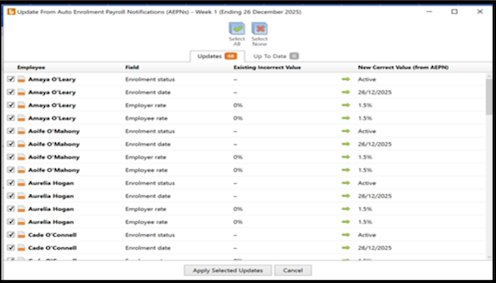
1. Receiving AEPN Notifications

NAERSA will receive information when you retrieve your RPN or in respect of new employees when an employment is registered with Revenue
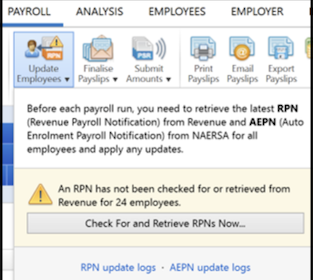
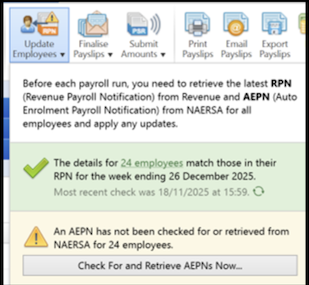
  • AEPNs download automatically when available
  • Banner notification appears
  • Apply selected changes


2. Processing Payroll

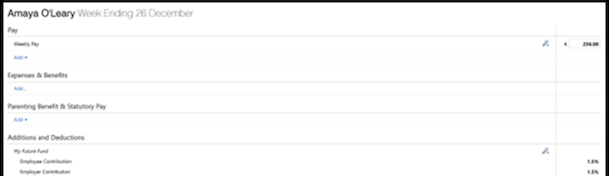
  • AE contributions calculate automatically
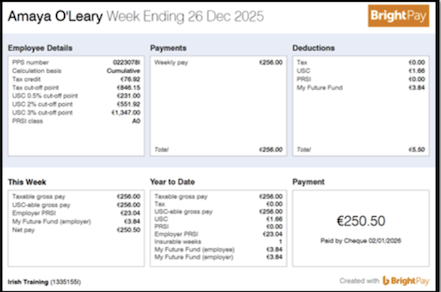
  • Shown on payslips & reports


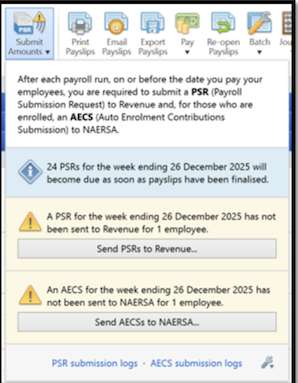
3. Submitting AECS

  • Finalise the payslips
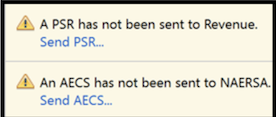
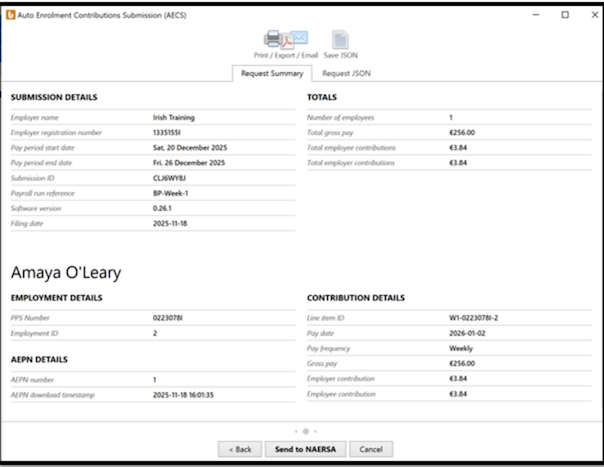
  • AECS is generated alongside PSR
  • Click?Send AECS?before 6.30pm on payday (as corrections are no longer accepted after this time)


4. Employee Letters

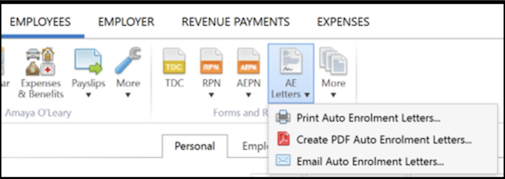
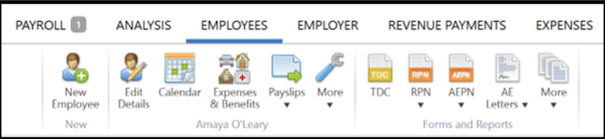
  • Go to?Employees > AE Letters
  • Choose Print/Create PDF or Email Auto Enrolment Letters


5. Records

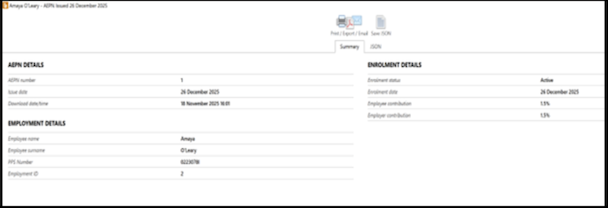
  • AEPN Details are recorded in the employee’s file
  • Go to?Employees > Select an Employee > AEPN


Need help? Support is available at 01 8352074 or [email protected].

2025 BrightPay - System RequirementsBright ID2025 Budget - Employer Summary2025 BrightPay - AvailabilityIntroduction to BrightPayStarting the New Tax YearImporting from the Previous Tax YearInstalling BrightPayMoving from Thesaurus Payroll Manager to BrightPayMoving to BrightPay from another payroll softwareMoving BrightPay to a new PCBureau Enhancements - Additional FunctionalityEmployer SetupDigital CertificatesEmployee SetupRevenue Payroll Notifications (RPNs)Payroll CalendarProcessing PayrollImporting Pay Data from a CSV FilePayroll DeductionsPayroll Submission Requests (PSRs)Distributing PayslipsPaying EmployeesSEPA format - Banks catered for in BrightPayMaking Corrections to PayrollRevenue PaymentsRevenue - Contact Telephone NumbersAnalysisPayroll JournalsProcessing StartersProcessing LeaversBenefit in KindIllness BenefitParenting BenefitsPensionsSwitching an Employee's Pay FrequencyBacking Up & Restoring Data FilesYear EndLeave Reporting & Employee CalendarAnnual LeaveLeave EntitlementsEmployment LawCSOGlossary of Terms (Pre 2019) - Foreign Language Help SheetsBrightPay ConnectGDPRBright Terms and Conditions and BrightPay End User Licence AgreementEnhanced Reporting Requirements (ERR)BrightExpensesTPM v BP - Employee recordsTPM v BP - Running the payrollBP v TPMIssue Activating your Licence KeyAuto-Enrolment – Employer Help Guide