Exporting Reports
To export a report to file (e.g. Excel), to Document or to Clipboard:
1) Click Export on the menu toolbar and select the desired option.
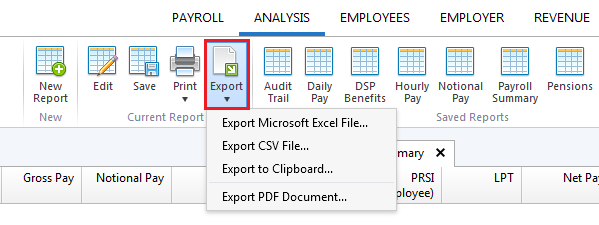
2) Save the report to a location of your choice, if applicable.
Need help? Support is available at 01 8352074 or [email protected].
Introduction to BrightPayInstalling BrightPayImporting from the Previous Tax YearMoving from Thesaurus Payroll Manager to BrightPayMoving to BrightPay from another payroll softwareBureau Enhancements - Additional FunctionalityGeneralEmployerEmployeeImporting P2C Files from ROSList of EmployeesPayroll DeductionsPayrollMid-year StartersLeaversPensionsIllness BenefitBenefit in KindParenting LeaveHolidaysEmployee CalendarMaking Corrections to PayrollP30 ReturnsAnalysis
Saved ReportsCreating a New ReportViewing ReportsEditing ReportsSaving ReportsPrinting ReportsExporting Reports
Payroll JournalsBacking Up & Restoring Data FilesBrightPay Licence Terms and ConditionsYear End 2018Glossary of Terms - Foreign Language Help SheetsCSOBrightPay ConnectGDPREmployment Law