Customer notice: your 2027 BrightPay upgrade is BrightPay Cloud

BrightPay Cloud has functional parity with Desktop, with the added benefits of the cloud. Upgrade now, ahead of the new tax year — the switch only takes a few clicks.

Learn More

Reversing a P45

Should a P45 be issued in error or an incorrect leave date entered, the P45 can be reversed and re-issued if applicable.  


To reverse a P45, go to ‘Employee’, select the employee’s name and click the P45 icon :


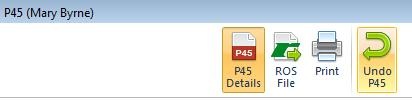
1) Click the option ‘Undo P45’ at the top of the screen:
 

2) Select ‘Yes’ to reverse the P45:

 

Need help? Support is available at 01 8352074 or [email protected].

Importing from Previous YearEmployerEmployeePayrollPayroll DeductionsRe-opening PayslipsLeaversMid-year StartersBenefit in KindIllness BenefitParenting LeaveP30 ReturnsAnalysisHolidaysPensionsYear EndBacking Up & Restoring Data FilesGeneralGlossary of Terms